See a month run, screen by screen
Seven screens from a demo CA firm, Joshi Rao & Associates, in the second week of November with the October GST cycle under way. The firm and its clients are fictional.
The sign-in page has one-click accounts for the demo firm. Nothing in it is sent to anyone.
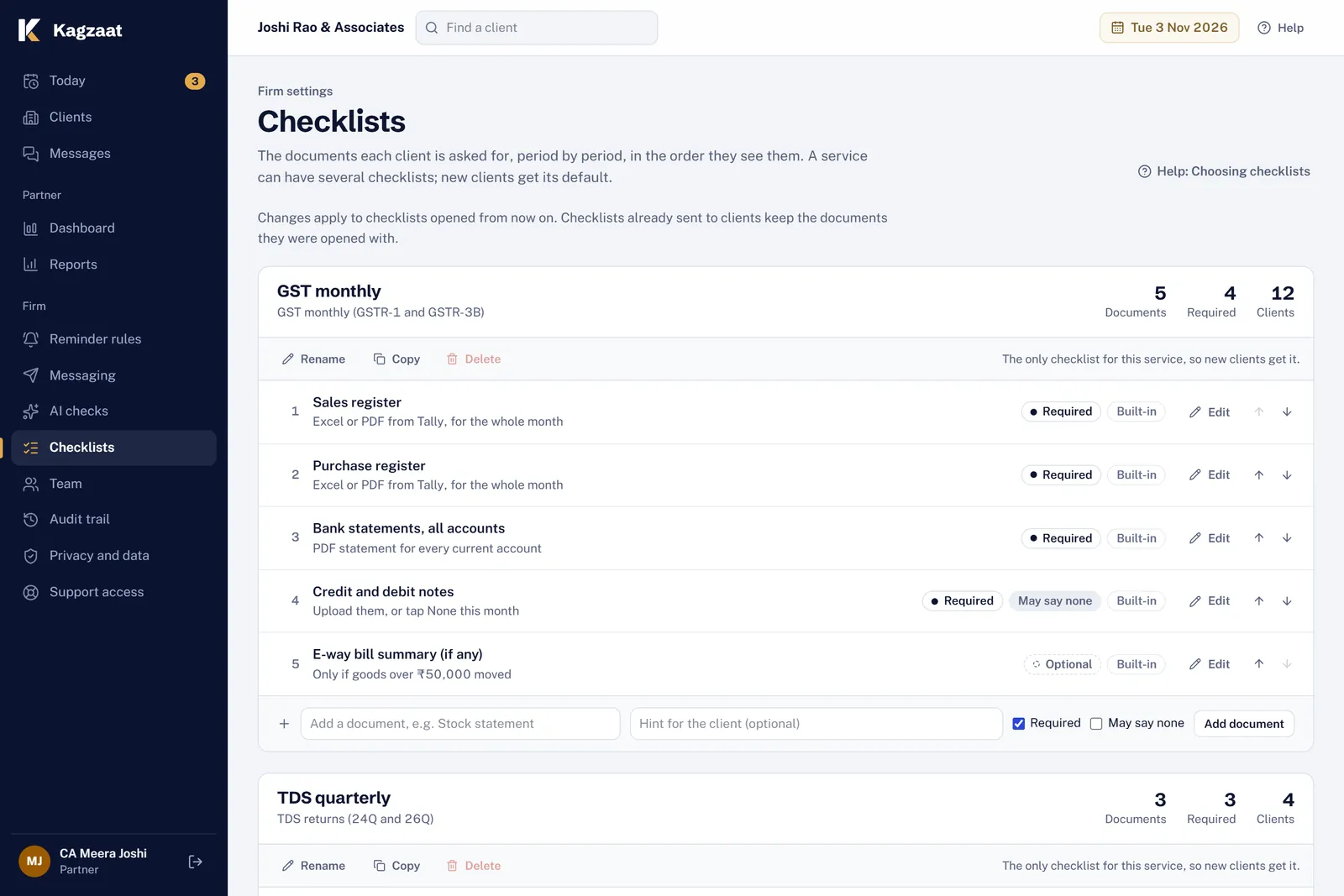
Say what you collect
Each service has a checklist. Mark what is required and what a client may say none to, and add a hint the client sees.
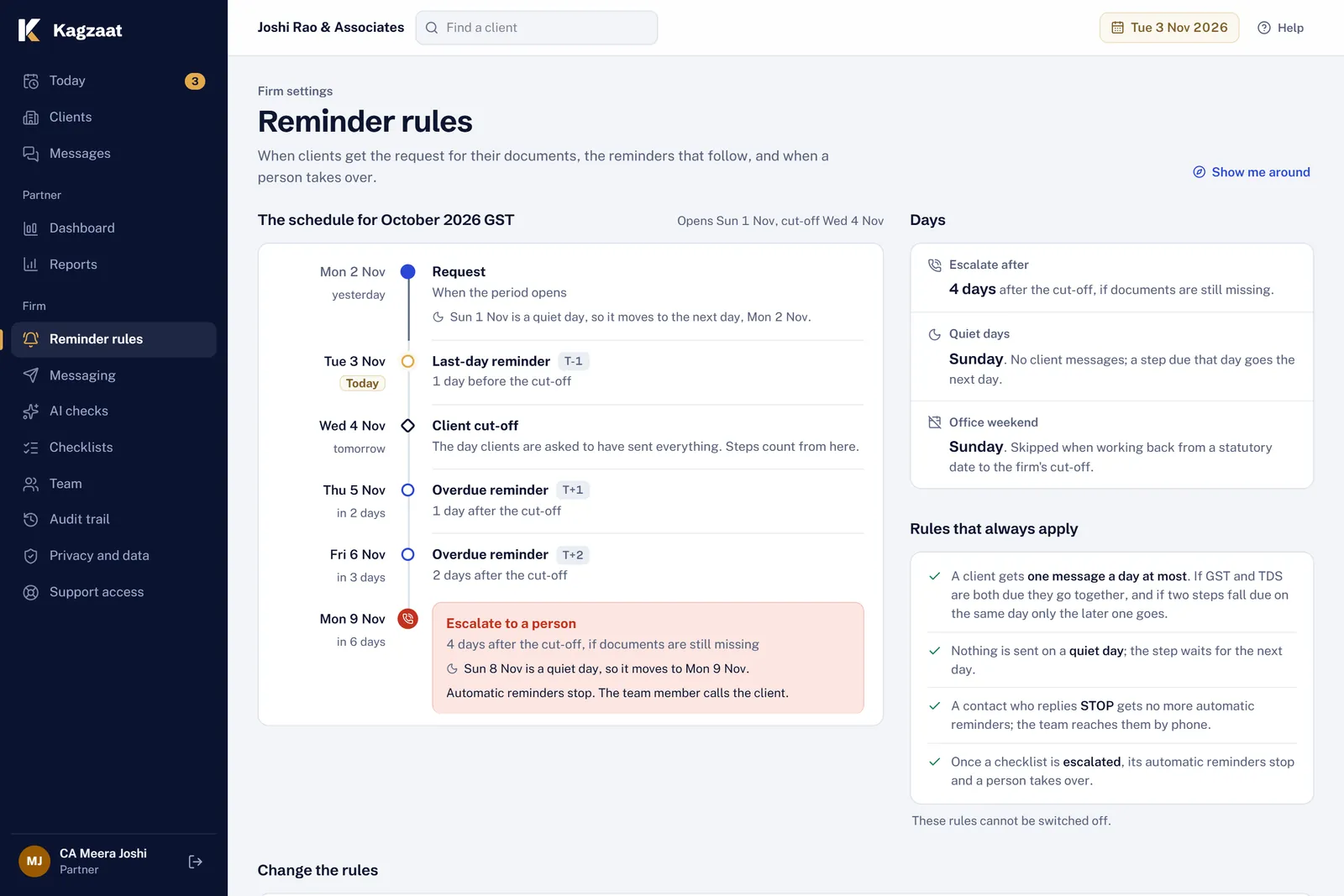
Decide when reminders go
The request goes when the period ends; reminders before and after your cut-off; escalation for a call a few days later. Sunday stays quiet.
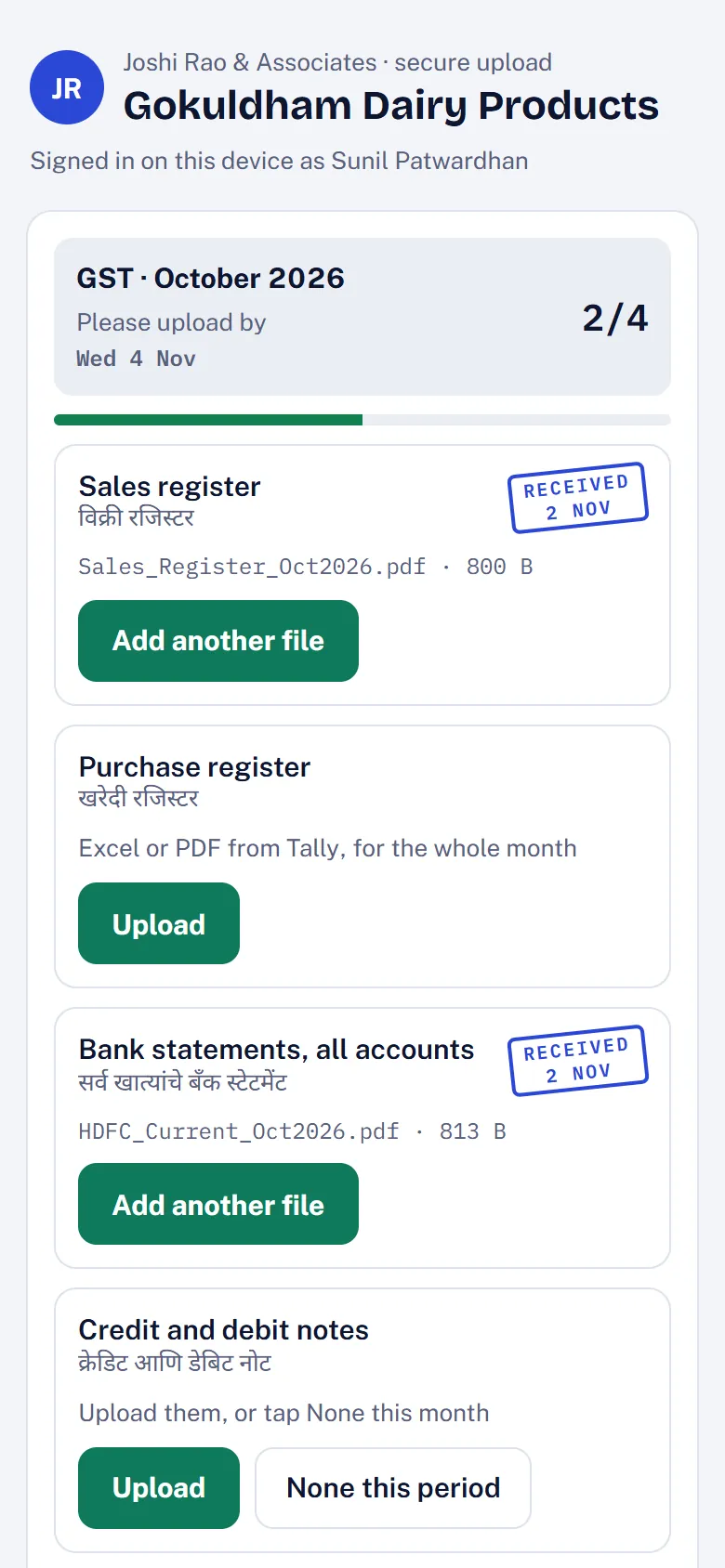
The client uploads from their phone
Your firm's name at the top, one button per document, item names in the client's language. Each file is checked as it arrives.
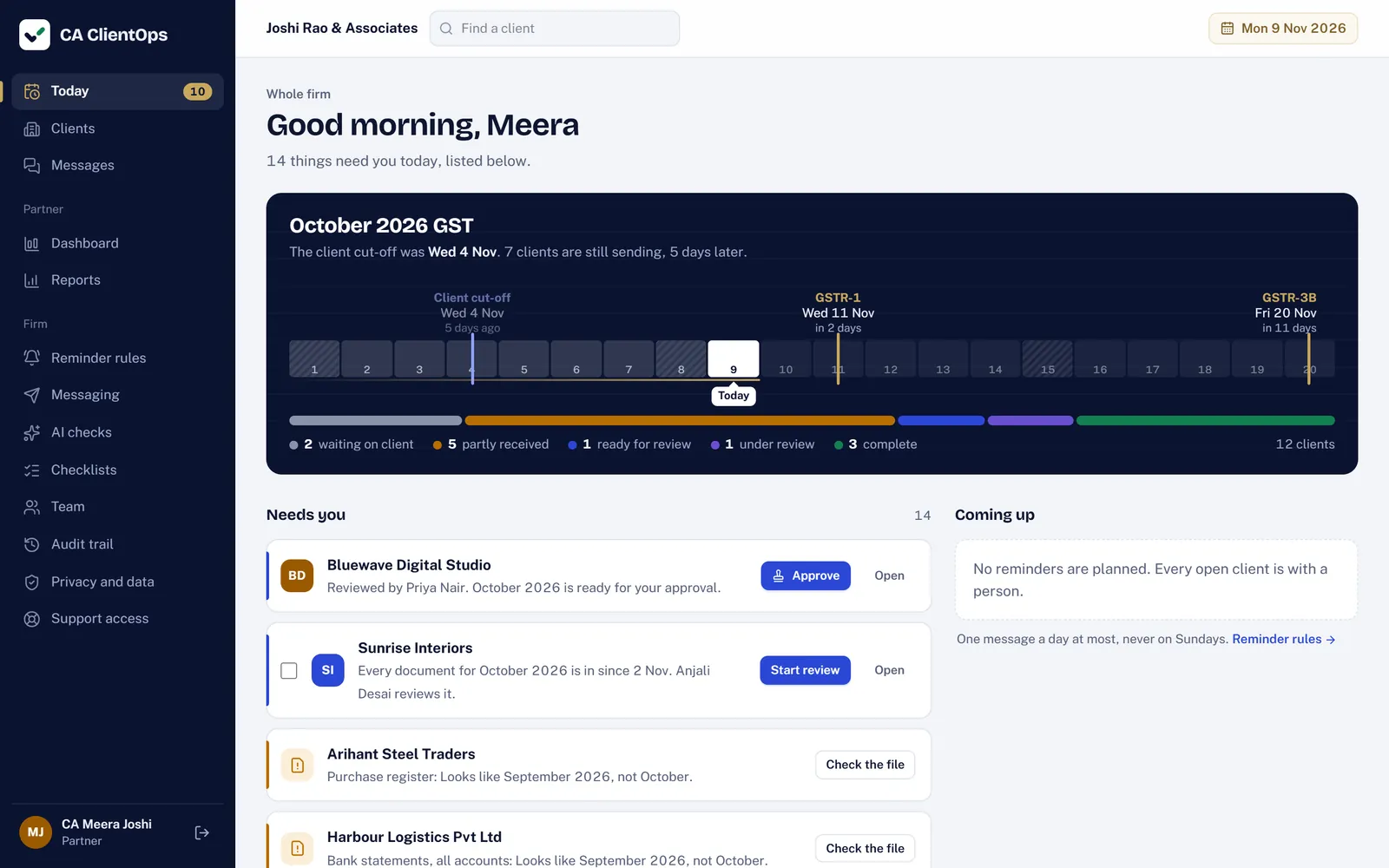
Start the day on Today
The period's track from opening day to GSTR-3B, every client counted by status, and only what needs a person: reviews, flagged files, calls.
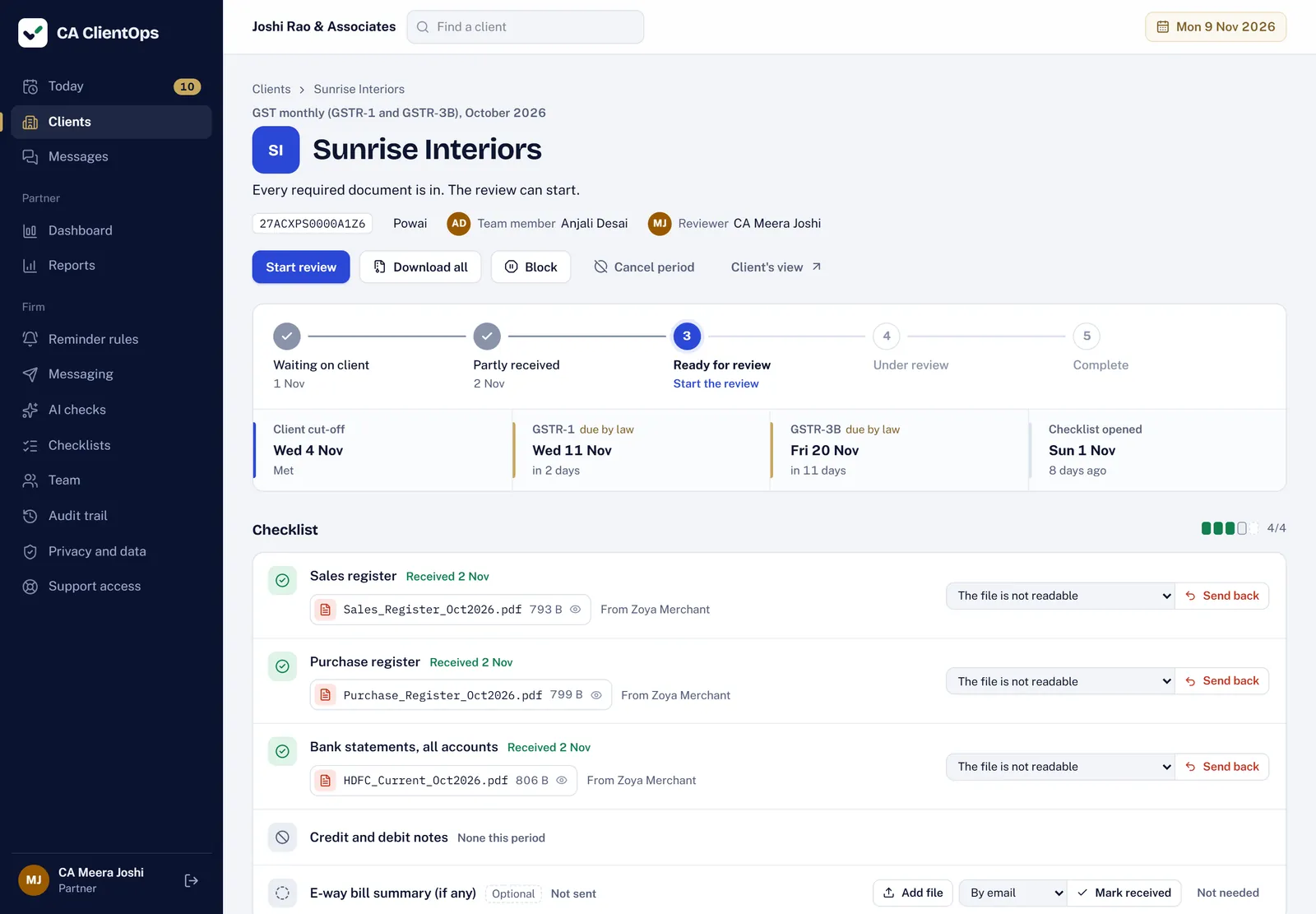
Review, send back, approve
Every file with who sent it and when. Send one back with a reason, or start the review when everything is in. A partner or manager approves.
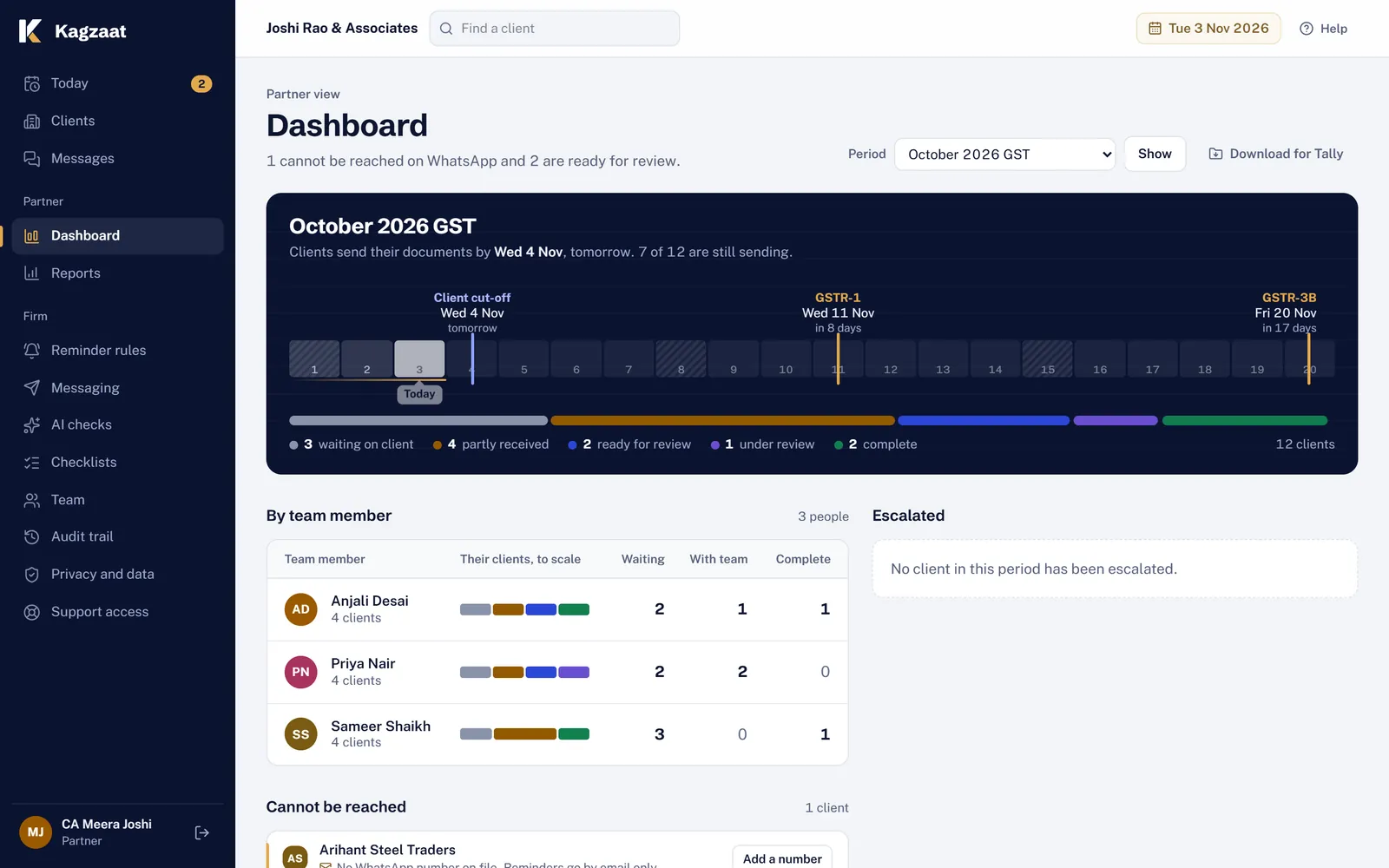
See the whole firm
Clients by team member, who cannot be reached, who is escalated, and when the documents came in against the cut-off.
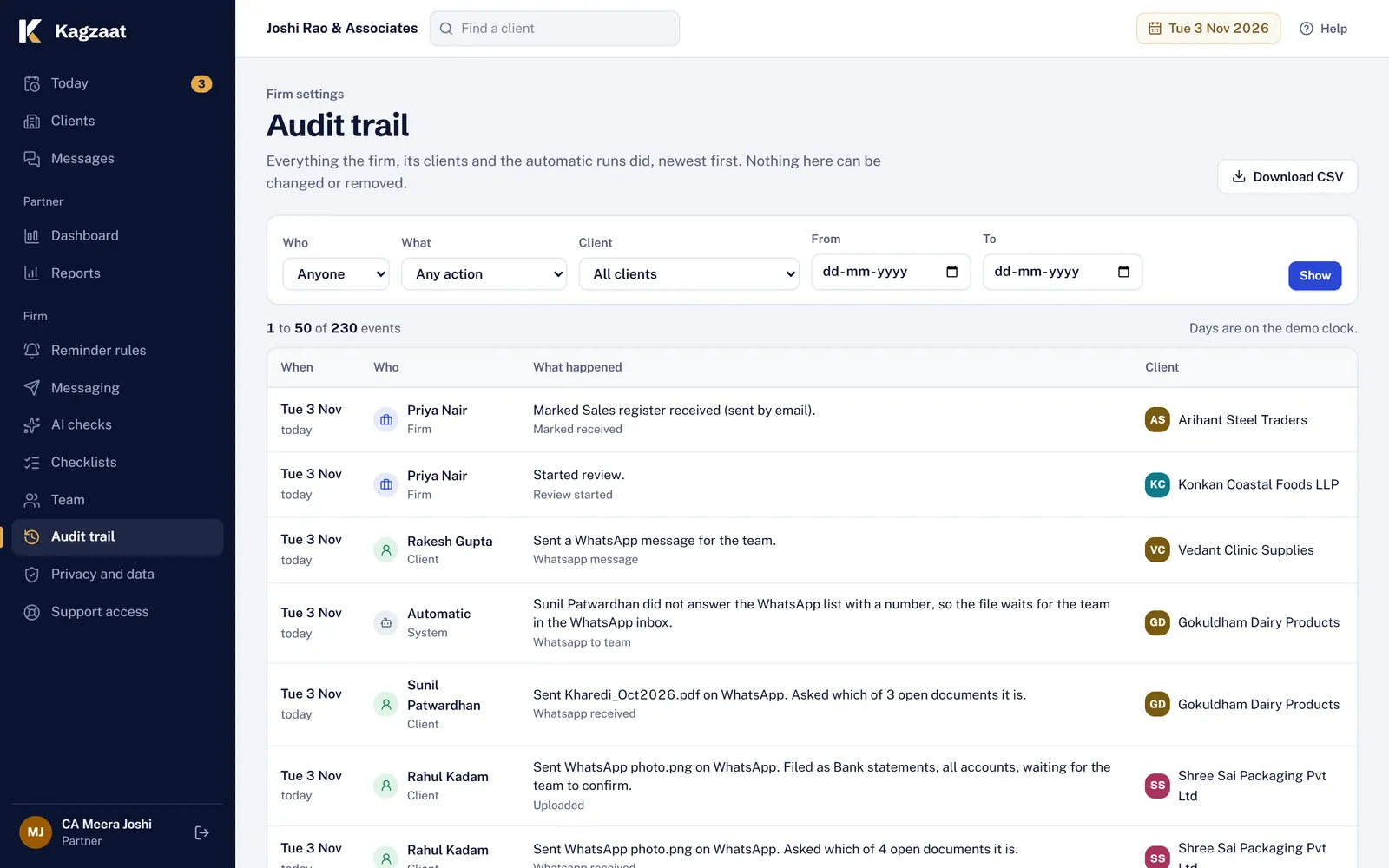
Every change on the record
Who did what and when, for every client, filterable and downloadable as CSV.
Try it on next month's GST.
14 days free on the Growth plan's limits. A guided setup brings in your team, clients and checklists, and nothing goes to a client until you switch reminders on.